New in 1.1Notes — a second room

Read in one room.
Write in the other.

diple is a reader and a notebook in one app. EPUB, PDF and saved articles on one side; your notes, journal and tasks on the other. No account, no ads, nothing to subscribe to.

iPhone · iPad · Mac — free and open source, with optional sync through your own iCloud.

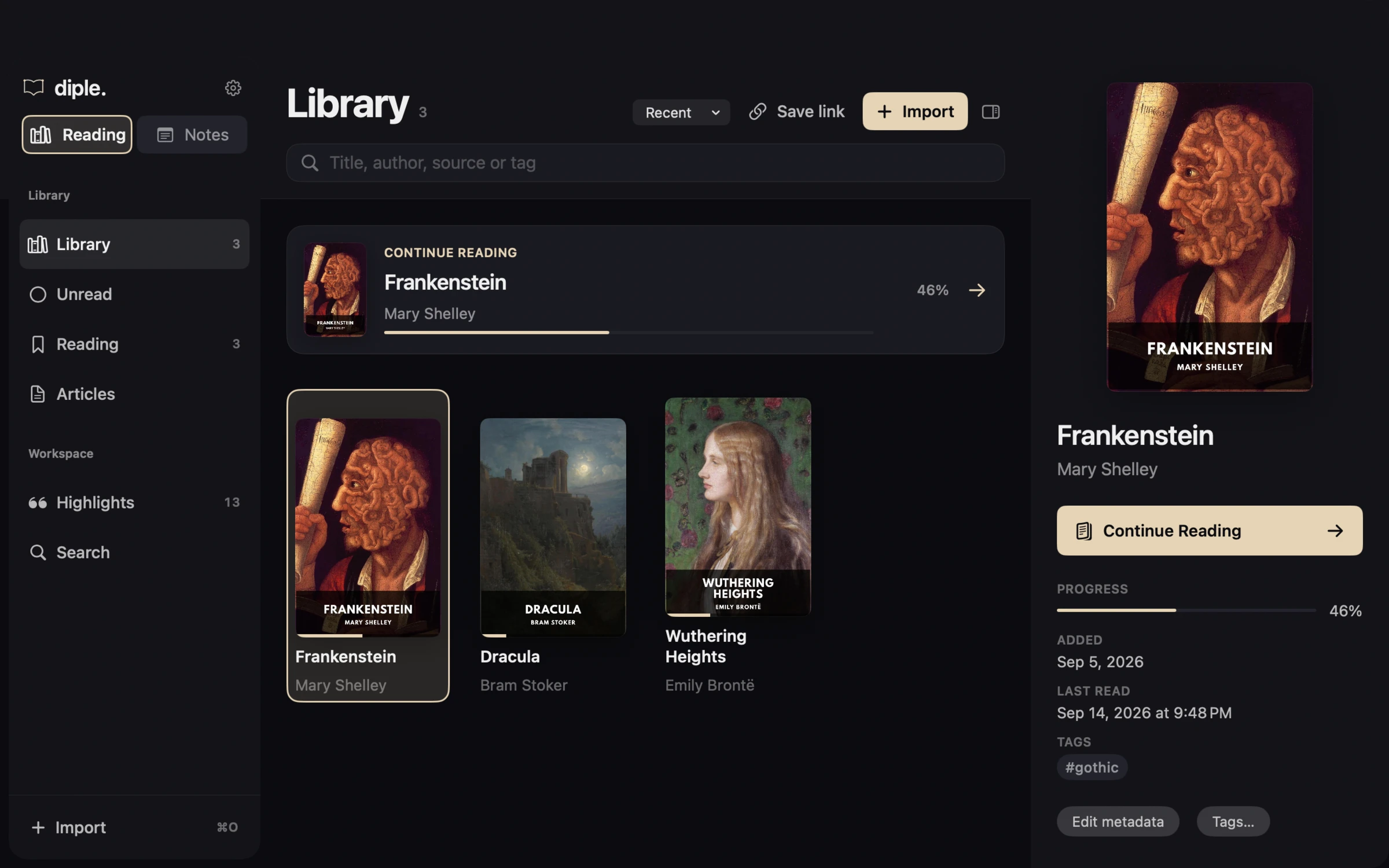
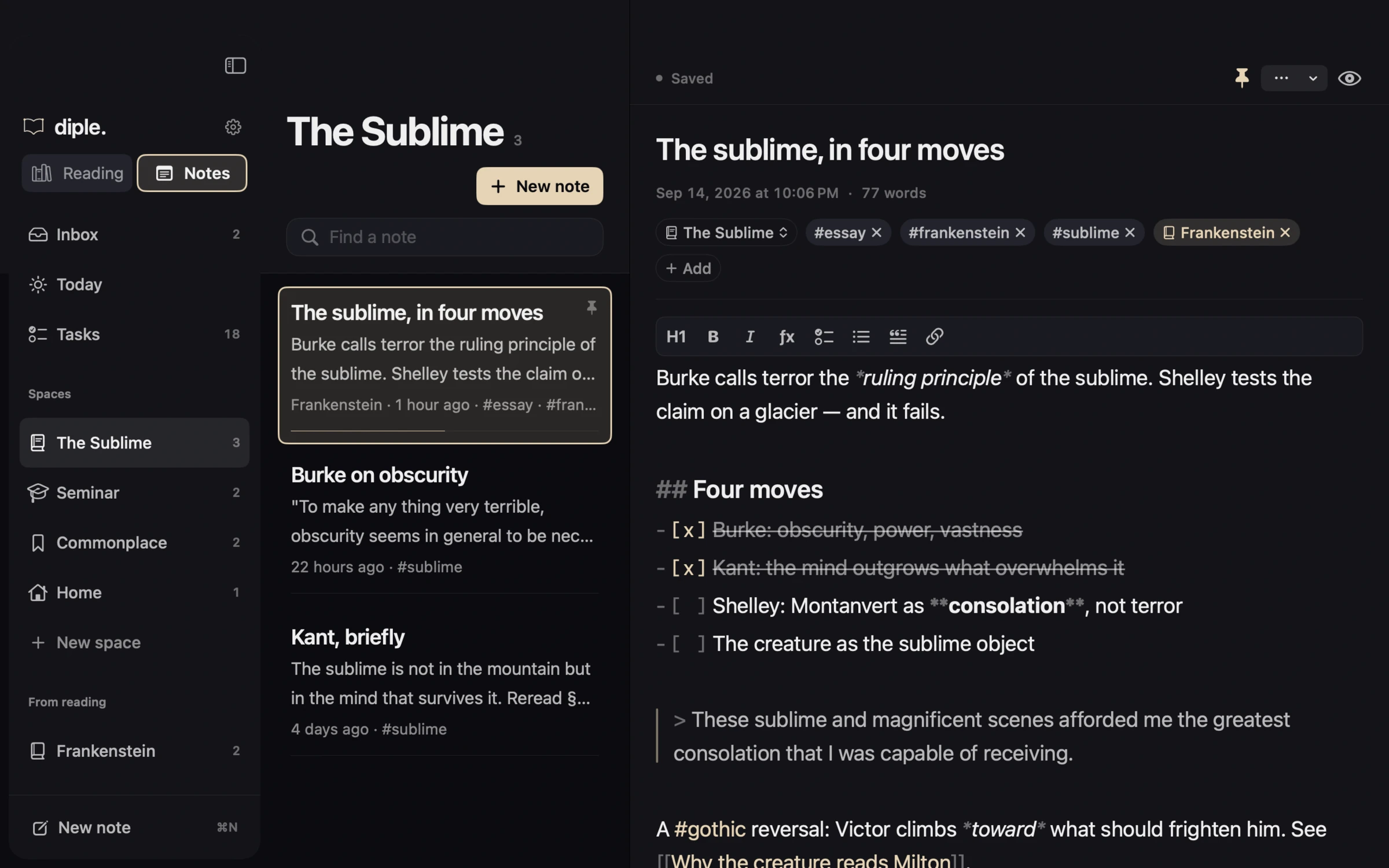
diple on macOS: spaces, the note list and the page open side by side
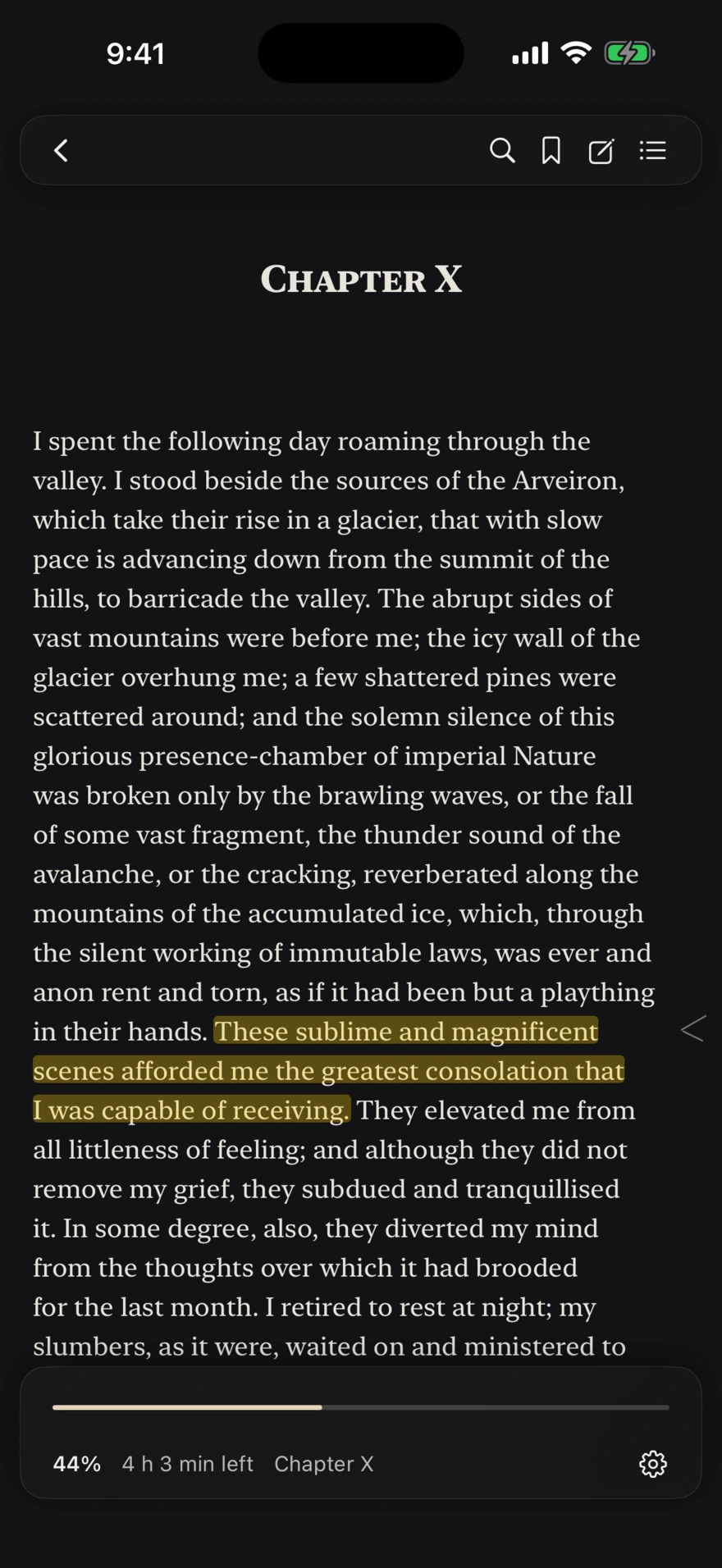
diple on iPhone, open at Chapter X of Frankenstein with the reader controls showing

One app, two rooms

One circle apart.

Reading is where you read and keep what the text gives you. Notes is where you think, write and get things done. The bar keeps three places and one verb, and the verb changes with the room: in Reading you search, in Notes you write.

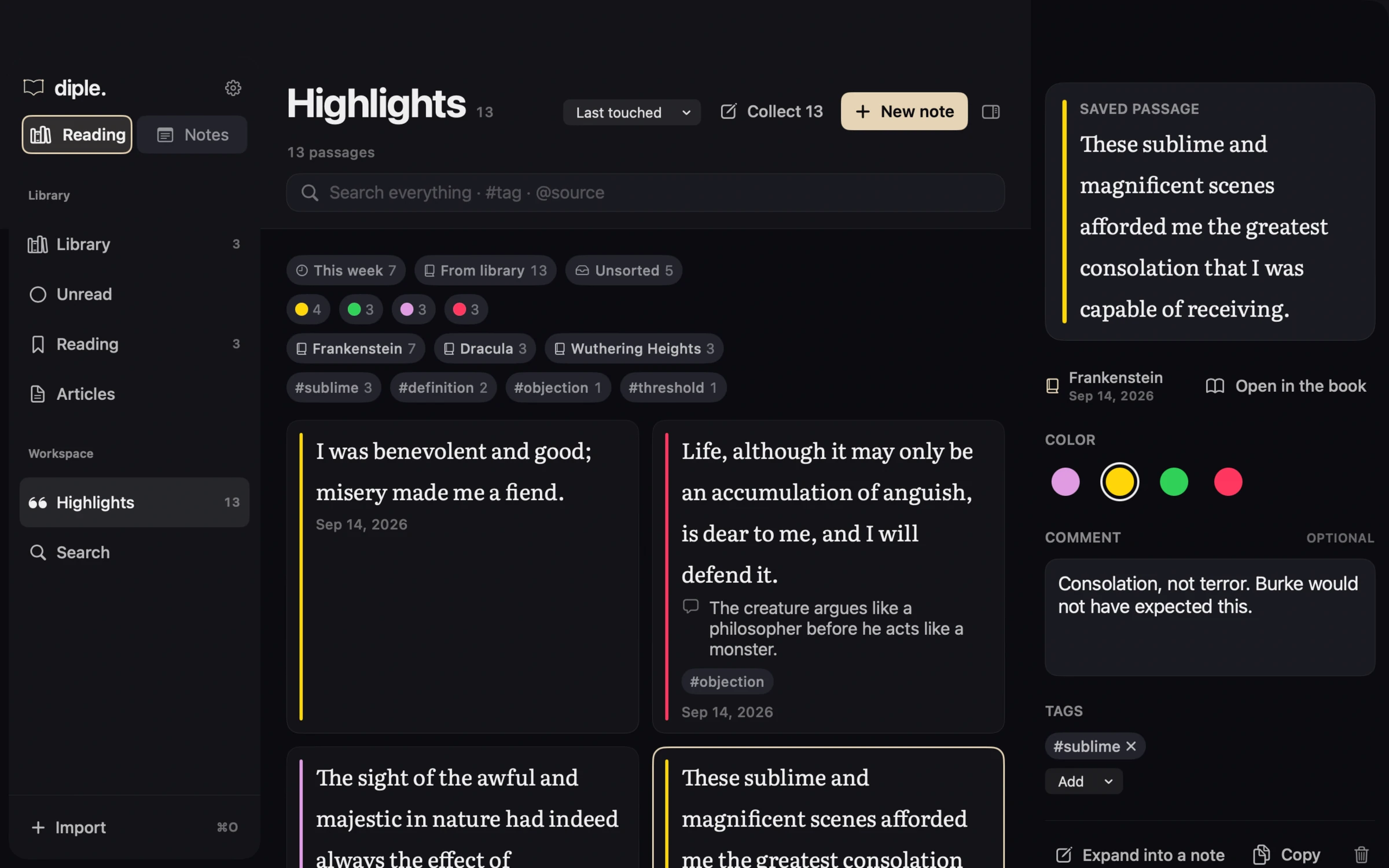
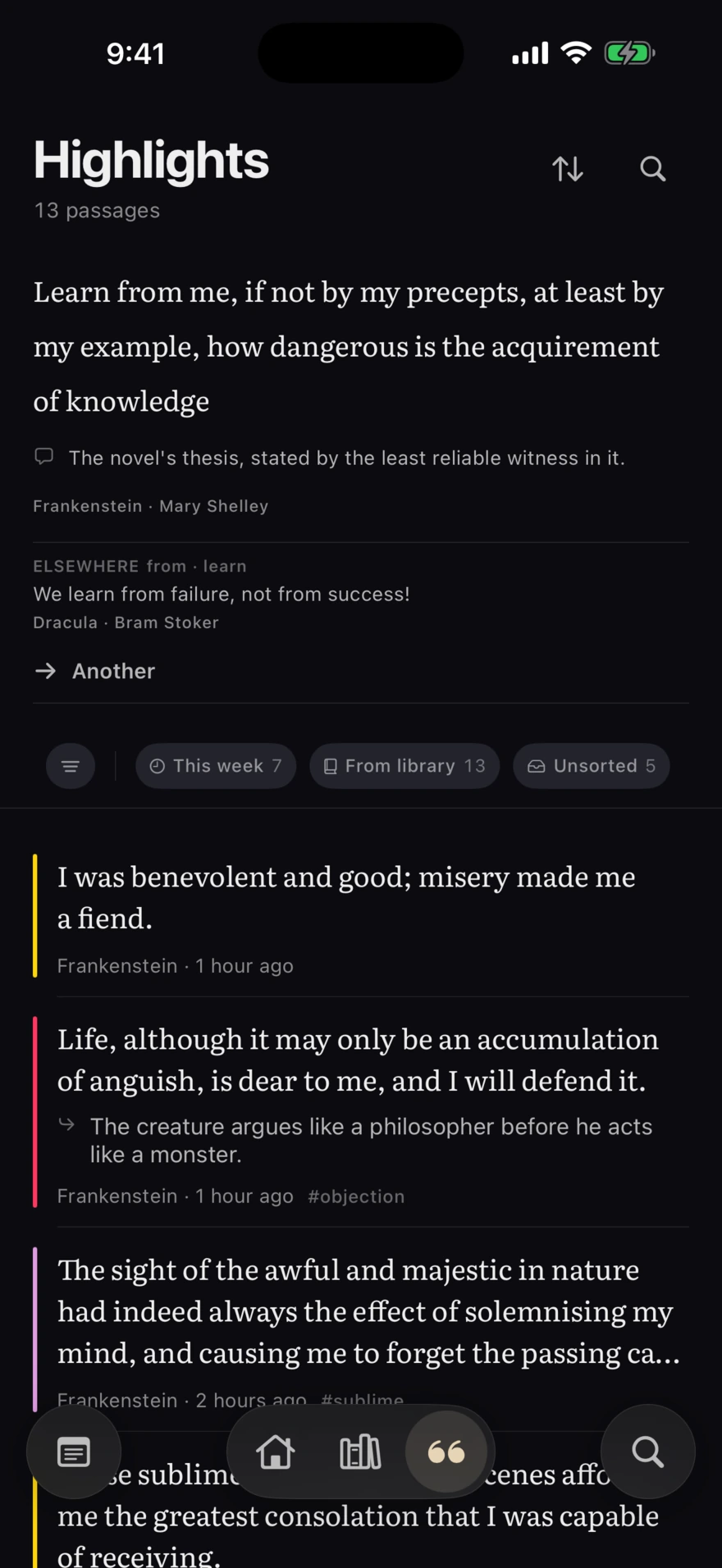
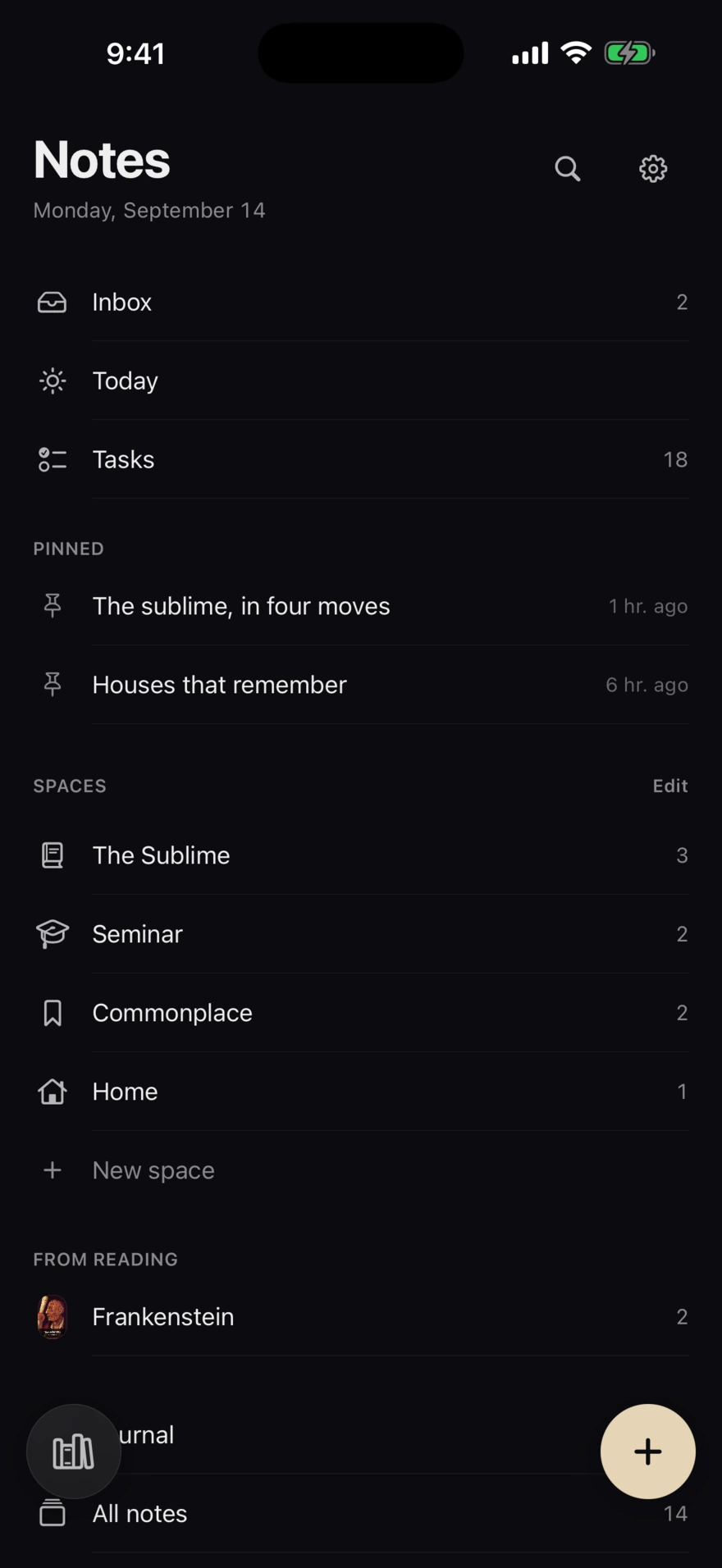
The Highlights place in diple, with saved passages from Frankenstein and DraculaThe Notes desk in diple, with Inbox, Today, Tasks, pinned notes and spaces

Tap the circle in the corner of the bar to cross. The room you were last in is the room the app opens in — remembered per device, not synced over your other one.

I · Read

The book. Nothing else.

The page takes the light and the controls recede. Four papers, ten sizes, margins and spacing that stay where you put them — and Atkinson Hyperlegible and OpenDyslexic bundled for the readers who need them.

Chapter X

I spent the following day roaming through the valley. I stood beside the sources of the Arveiron, which take their rise in a glacier, that with slow pace is advancing down from the summit of the hills, to barricade the valley. The abrupt sides of vast mountains were before me; the icy wall of the glacier overhung me; a few shattered pines were scattered around; and the solemn silence of this glorious presence-chamber of imperial Nature was broken only by the brawling waves, or the fall of some vast fragment, the thunder sound of the avalanche. These sublime and magnificent scenes afforded me the greatest consolation that I was capable of receiving. They elevated me from all littleness of feeling; and although they did not remove my grief, they subdued and tranquillised it.

In some degree, also, they diverted my mind from the thoughts over which it had brooded for the last month.
  • A mark is made, not switched on.

    The colour crosses the words at the speed of a pen, line after line, with the leading edge soft where the ink is still spreading. Four colours, one tap.

  • Footnotes open at the foot of the page.

    Not on a screen somewhere else. Figures open at full size, a word can be looked up from the selection, and a passage can leave as an image.

  • Progress means where you left off.

    Not the furthest you ever got. Re-read a chapter and the number goes back with you — one figure you can check against the page in front of you.

II · Mark

A thought stays where it happened.

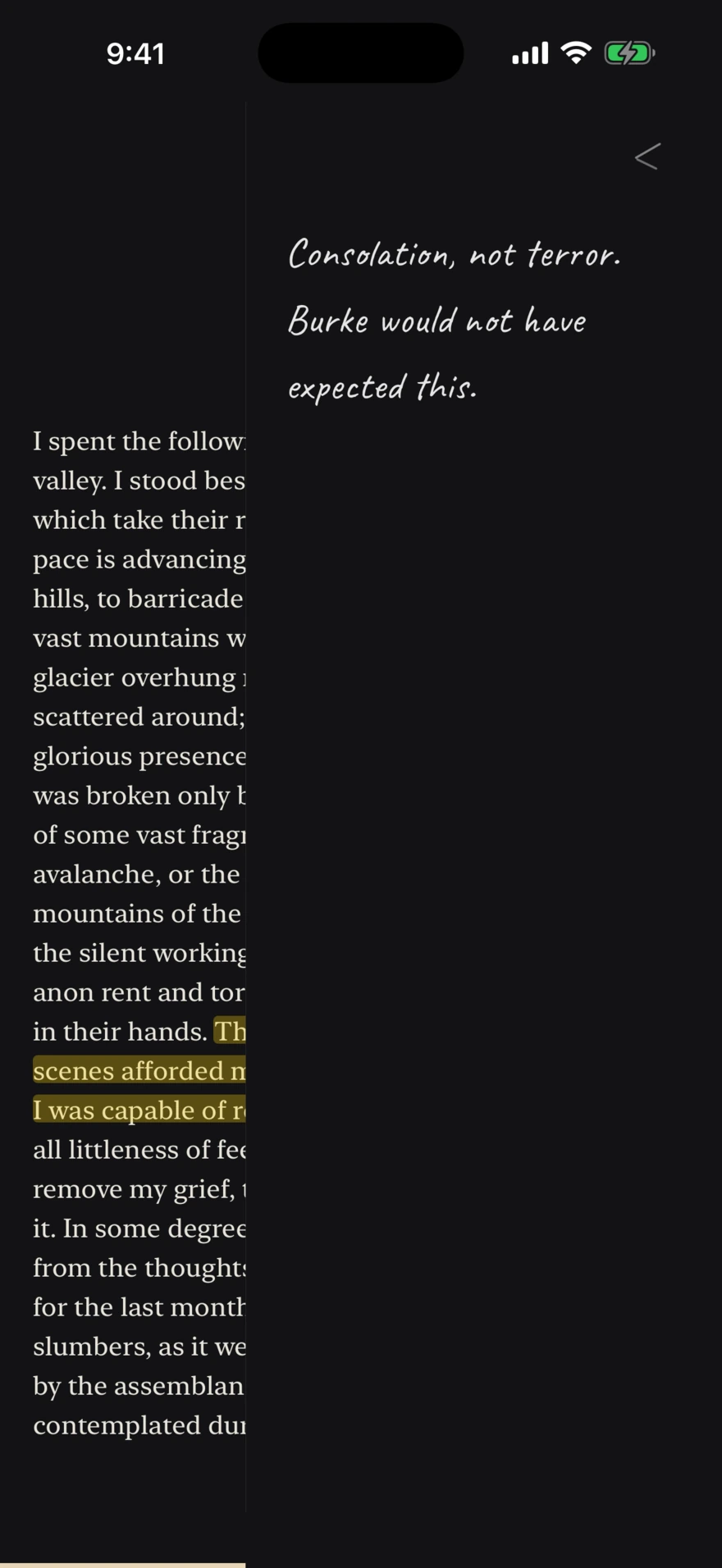
Highlight a line and write beside it. The note lives in the margin of the passage that caused it — not in a folder somewhere, not at the end of the book — and it is there again the next time you come past.

  • Mark in one tap, in any of four colours
  • Tag passages in your own words; rename or merge the tags later
  • Bookmarks, a chapter outline, and search inside the book
  • Bring what you already marked in Kindle or Readwise
A handwritten margin note beside a highlighted passage in diple

Living marginThe page slides aside; the passage stays where it was.

III · Write

Markdown that dresses as you type.

Headings, quotes, boxes, links and tags style themselves in place, with their markers still standing quietly beside them. What is saved is portable Markdown — the same text any plain editor would show you.

Saved0 words · 1 min read

The sublime, in four moves

Frankenstein#essay#sublime

Saved as plain Markdown
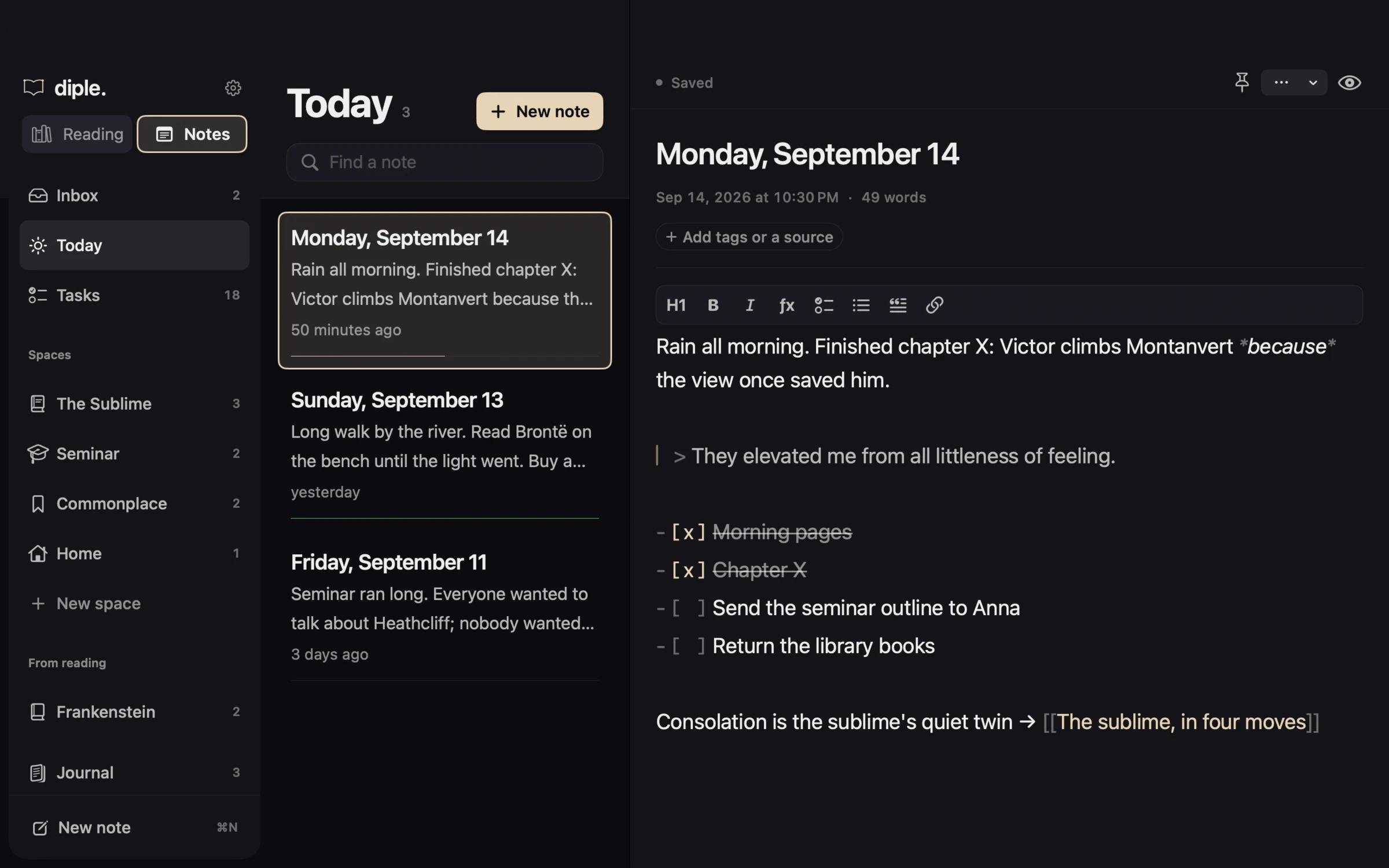
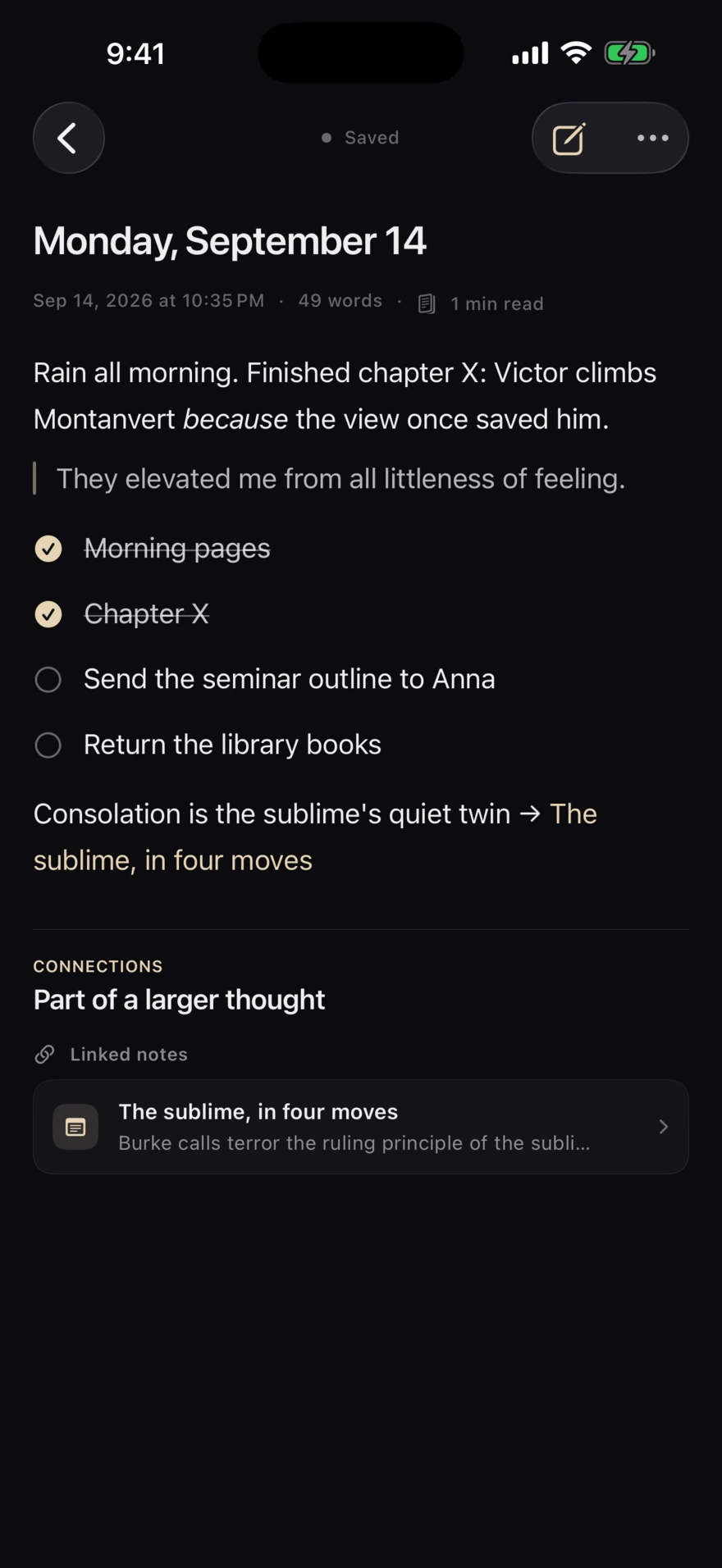
Today's page in diple with tasks and a link to another note
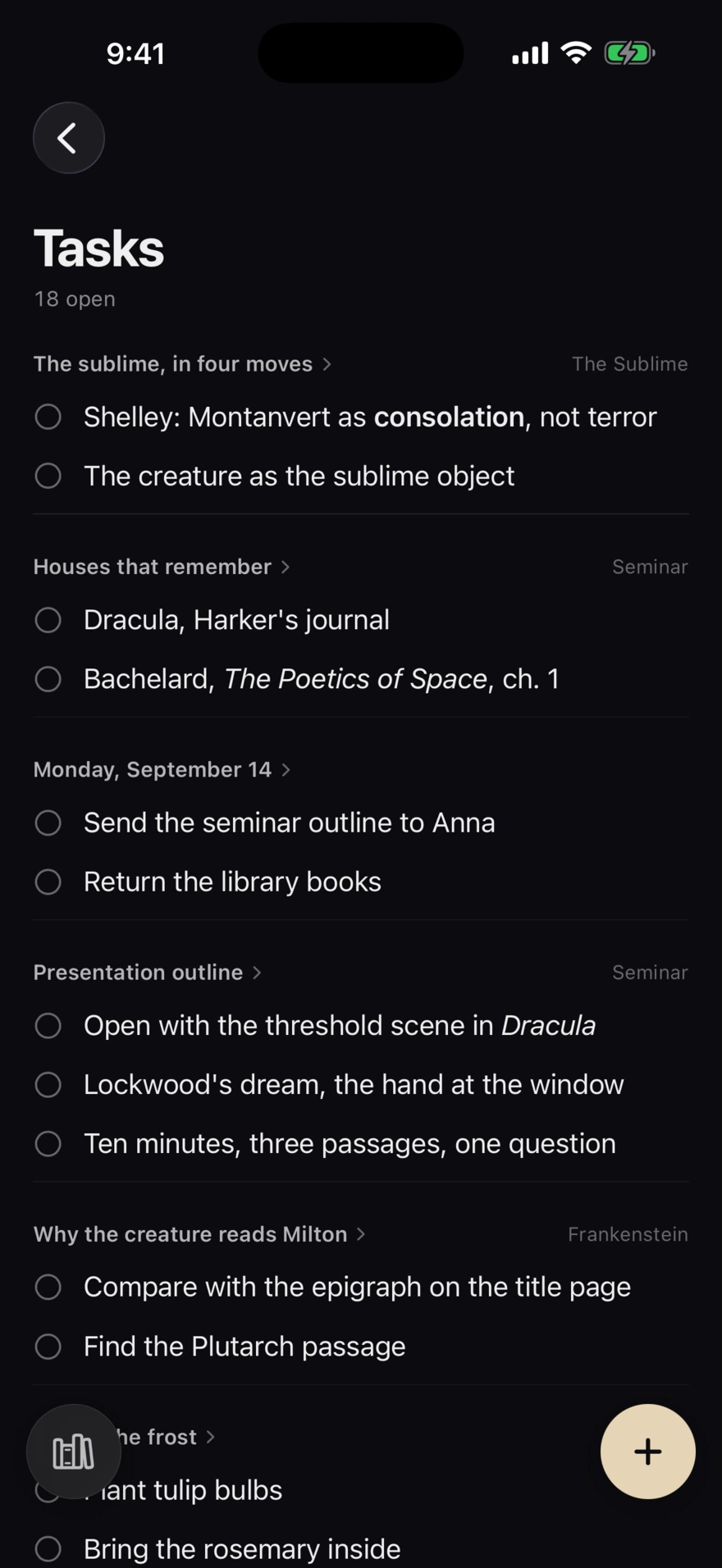
The Tasks list in diple, gathered from every note
  • A page for today

    Today opens on a dated page and keeps the ones before it in a journal. Start it from the Home Screen, a widget, Control Center or Shortcuts.

  • Every open box, in one list

    Tasks gathers the unticked boxes from every note. Tick one there and it is ticked in the note it was written in.

  • Places you name yourself

    Inbox for whatever arrives, spaces of your own for what stays, pinned notes at the top of the list.

  • Part of a larger thought

    [[Links]] connect notes both ways, #tags gather them, and a note started inside a book keeps the book beside it.

  • From passage to page

    Expand a passage into a note, or collect a dozen of them into one. The source comes with them.

  • A deletion that waits

    Recently deleted holds a note for 30 days, so getting rid of one costs a tap rather than a decision.

IV · Return

An index of your attention.

Every passage you kept, narrowed by book, colour or tag — and one passage a day back on the surface, with the others in your library that share its rarer words.

6 passages

These sublime and magnificent scenes afforded me the greatest consolation that I was capable of receiving.

Consolation, not terror. Burke would not have expected this.

Frankenstein · Mary Shelley#sublime
Life, although it may only be an accumulation of anguish, is dear to me, and I will defend it.

The creature argues like a philosopher before he acts like a monster.

Frankenstein · Mary Shelley#objection
I was benevolent and good; misery made me a fiend.
Frankenstein · Mary Shelley#threshold
We learn from failure, not from success!
Dracula · Bram Stoker#method
The sight of the awful and majestic in nature had indeed always the effect of solemnising my mind.
Frankenstein · Mary Shelley#sublime
Whatever our souls are made of, his and mine are the same.
Wuthering Heights · Emily Brontë#definition

Also on the Mac

Three columns, one desk.

The same library, the same notes, the same passages — with a sidebar, a list, a page, and the shortcuts a keyboard expects.

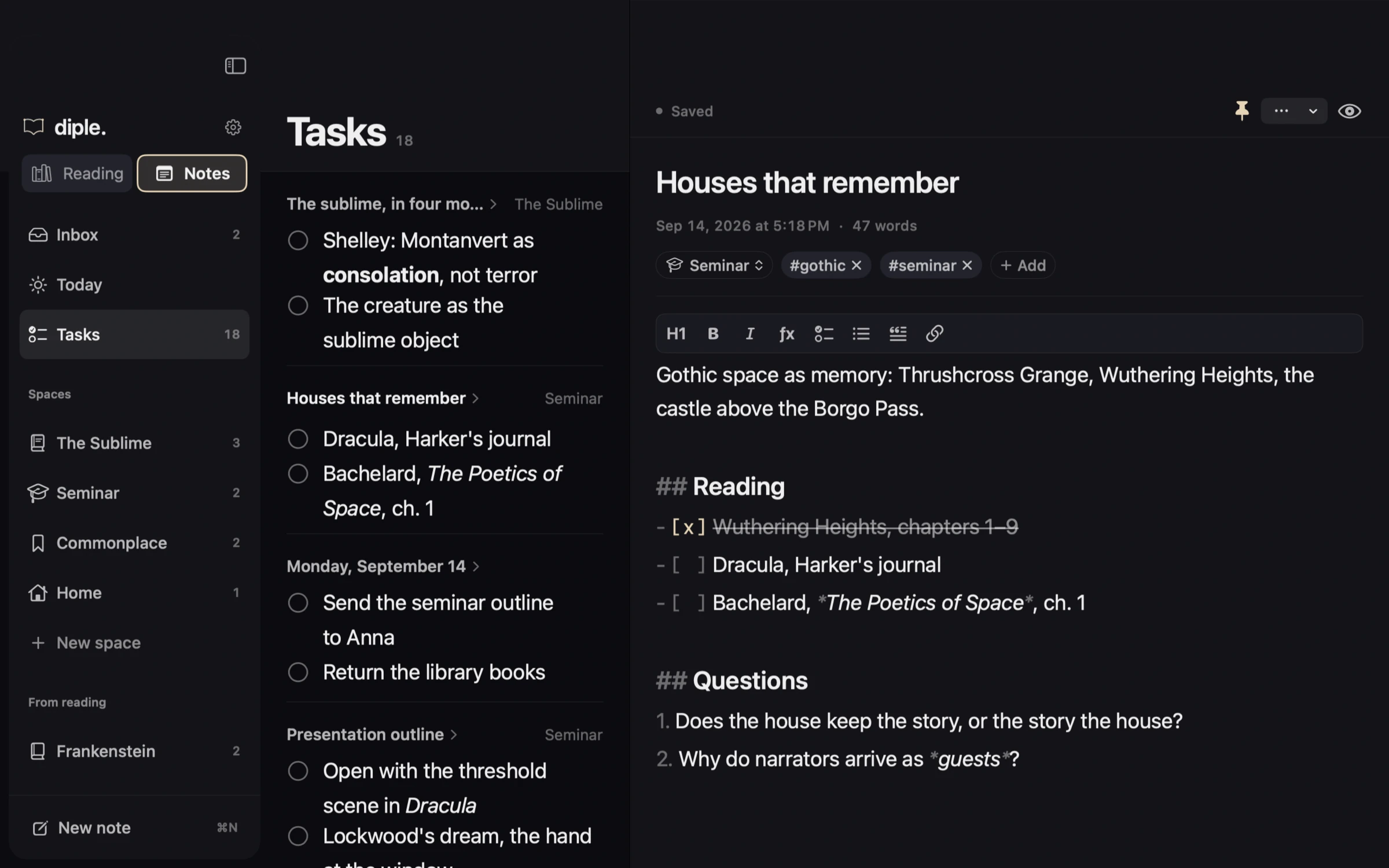
diple on macOS: spaces on the left, the note list in the middle, the page on the rightToday's page in diple on macOS, above the days before itThe Tasks list in diple on macOS, gathered from every noteThe Highlights place in diple on macOS with a saved passage open in the inspectorThe library in diple on macOS with Frankenstein, Dracula and Wuthering Heights

Spaces, the list and the page — three columns, one desk.⌘N

Private by architecture

Your reading is not data.

Books, progress, highlights and notes stay on your device. Turn on sync and they travel through your own iCloud account — the developer has no access to it and operates no backend of any kind.

  • 0accounts

    Nothing to sign up for, nothing to sign in to.

  • 0trackers

    No analytics, no crash SDK, no advertising identifiers.

  • 0servers

    The developer runs no backend. There is no database of you.

  • 100%open source

    MIT licensed, so the claims above can be read.

  • $0forever

    No subscription, no paid tier, no in-app purchases.

diple/PrivacyInfo.xcprivacy

<key>NSPrivacyCollectedDataTypes</key>
<array/>

<key>NSPrivacyTracking</key>
<false/>

<key>NSPrivacyTrackingDomains</key>
<array/>

Apple’s own privacy manifest, as it ships in the app: nothing collected, nothing tracked, no domain to track it to. Trust should be inspectable.

iCloud sync is off until you turn it on, and writes only to your own private database.

The mark

A wedge in the margin, written by hand.

A diple is the wedge Alexandrian scholars set in the margin against a line worth noticing — the ancestor of the quotation mark, and the app’s name and its whole function. The icon is that wedge with the app’s initial and the full stop the wordmark has always carried.

It is set in Mynerve and written, not drawn: the intro on first launch writes it stroke by stroke, and so does this page. Its colour is the accent, because in diple the accent is always the reader’s own act — the highlight, the progress ribbon, the pen.

Vellum#E6D4B5

Five accents, and each one has a Home Screen icon of its own. Pick one here and the page takes it too.

Keep what keeps you.

Read. Mark. Write. Return. Free for iPhone, iPad and Mac — and open source, so the privacy claims on this page can be checked rather than believed.

Version 1.1 adds Notes: a page for today, tasks from every note, spaces of your own — and a new icon.